

How To Use Honda's Google Built-In Technology
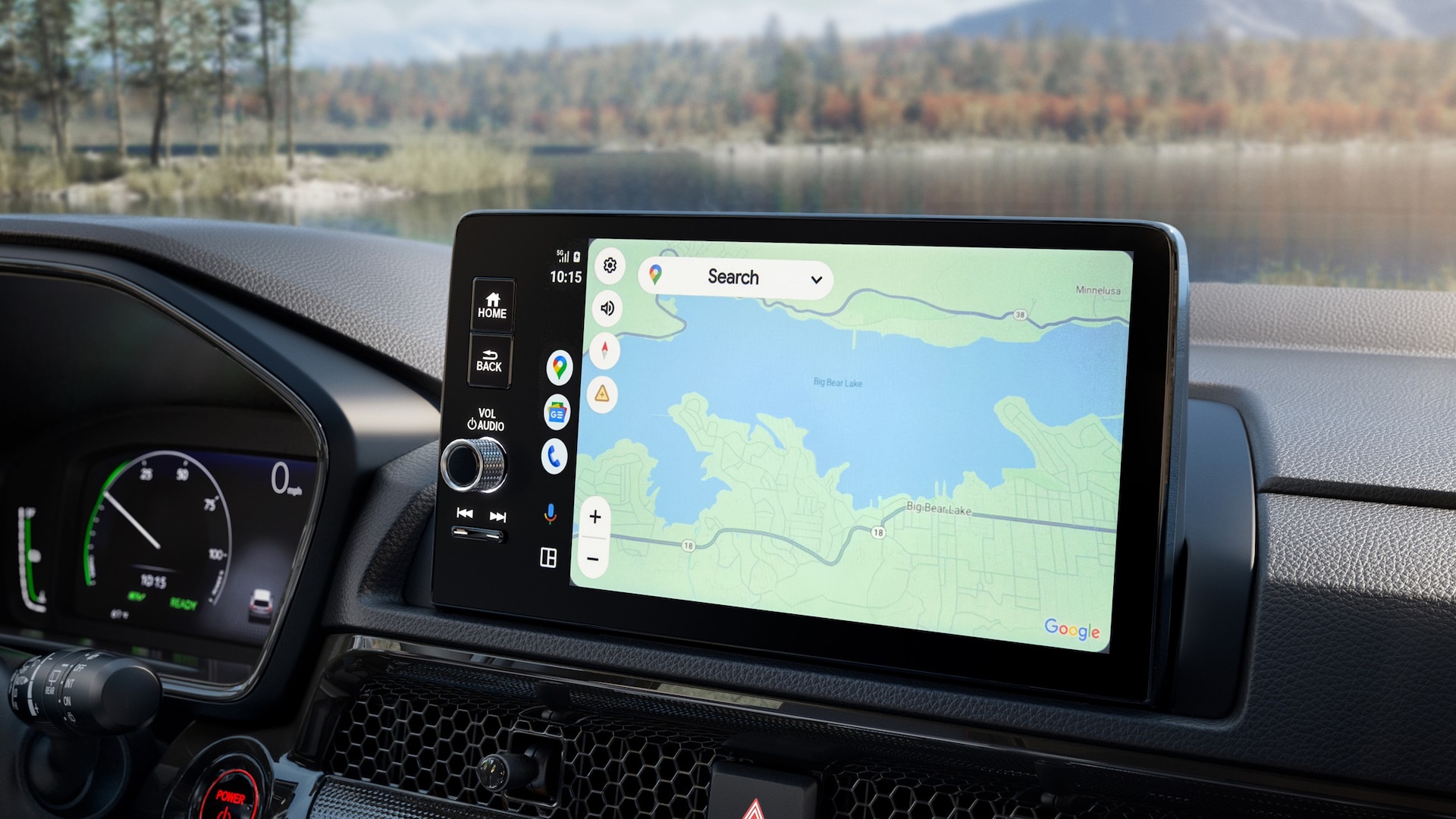
How To Use Honda's Google Built-In Technology
Master Your Drive at Honda on Grand
Honda's built-in Google technology redefines your daily drive on I-290 with next-level convenience and connectivity. Enjoy real-time navigation via Google Maps, hands-free command with Google Assistant, and instant access to your go-to apps on Google. Whether you're dodging traffic with real-time Google Maps, adjusting the temperature hands-free via Google Assistant, or queuing up a playlist on Google Play, Honda ensures your focus stays exactly where it belongs—on the road ahead. If you're looking for some help with your Honda's Google Built-In, put in our address at 300 W Grand Ave, Elmhurst, IL, and the system will take you right to our door. Keep reading to unlock the full potential of your connected drive.
What "Google Built-In" Means for Honda Drivers
Experience a fully embedded infotainment system that operates independently of your smartphone.
- No Phone Required: Runs natively on Honda's hardware, offering a cleaner, more reliable connection than standard phone mirroring.
- Always Up to Date: Cloud-based software automatically updates your apps, system features, and maps in the background.
- Voice-First Control: Use Google Assistant to seamlessly manage navigation, climate controls, hands-free calling, and texting without taking your eyes off the road.
As you can see, Google Built-In Technology helps you stay focused on the road ahead.
The Connected Cabin: Key Features of Honda's Google Built-In
Discover a more intuitive drive with technology that coordinates directly with your vehicle's systems:
- Smarter Navigation: Google Maps provides real-time traffic updates and automatic rerouting.
- Voice-Activated Control: Google Assistant lets you adjust climate settings, send texts, and make calls hands-free.
- Customized Entertainment: Download music, podcasts, and audiobook apps directly via the Google Play Store.
- Personalized Profiles: Multi-user driver profiles instantly restore your favorite destinations, media preferences, and cabin settings.
Get Connected: Setting Up Honda's Google Built-In
Bringing your digital life into your new vehicle is quick and intuitive. Just follow these simple steps to get road-ready:
- Sign In & Sync: Log into your Google Account directly on the infotainment touchscreen to instantly sync your personalized preferences, saved locations, and apps.
- Personalize Your Drive: Download your go-to media and navigation apps from the integrated Google Play Store.
- Pro-Tip for Day One: Take two minutes to save your "Home" and "Work" addresses in Google Maps and practice a few hands-free "Hey Google" voice commands.
Have questions or want a personal walkthrough? Stop by or contact the friendly team at Honda on Grand—they are always happy to help you master your vehicle's tech and get the most out of every mile.
Everyday Tips for Using Google Built-In While Driving
Honda's integrated system transforms your daily drive by reducing distractions and maximizing convenience:
- Voice-Activated Commutes: Manage your calls, texts, and media safely using intuitive Google Assistant voice commands.
- Live Routing: Google Maps actively tracks real-time traffic and road closures, automatically offering faster alternative routes mid-drive.
- Smart Focus: The infotainment system intelligently manages incoming notifications so you can stay locked on the road ahead.
- Instant Navigation: Save your favorite destinations for one-tap, stress-free routing every time you start the car.
This system intelligent, integrated technology that turns everyday driving into a premium experience.
Why Experience Honda Tech at Honda on Grand?
Finding the perfect connected vehicle is just the first step—knowing how to maximize its features is where we come in.
- Personalized Walkthroughs: Our team offers hands-on, step-by-step setup support to ensure you are comfortable with Google Maps, Assistant, and Play from day one.
- Broad Selection: Explore a diverse inventory of new Honda vehicles featuring fully integrated Google technology.
- See It in Action: Schedule an in-person demonstration or test drive to experience the fluid, phone-free interface firsthand.
- Lifetime Support: We remain your go-to resource for future software updates, system questions, and tech troubleshooting.
So stop in today and check out our Honda Inventory for yourself why so many people have chosen to buy their Honda from Honda on Grand.
Upgrade Your Drive Today at Honda on Grand
Honda's Google built-in technology redefines the modern commute, bringing real-time mapping, hands-free voice assistance, and your favorite apps seamlessly onto your dashboard. Ready to see the difference for yourself? Located right in Elmhurst, just a quick 30-minute drive from downtown Chicago via I-290 W, Honda on Grand is your premier destination to explore the latest connected Honda lineup. Fill out the form below to connect with our vehicle tech experts, browse our current inventory, and schedule your hands-on test drive today!
Key Takeaways
Q: What is Honda Google built-in technology?
A:
Honda Google built-in is an integrated infotainment system that brings Google services like Google Maps, Google Assistant, and Google Play directly into your vehicle without needing to connect a smartphone.
Q: Do I need my phone to use Google built-in?
A:
No. Once your Google account is set up in your Honda, the system works independently, giving you access to navigation, apps, and voice controls directly through the vehicle.
Q: Can I get help setting up the system?
A:
Absolutely. The team at Honda on Grand can walk you through setup, demonstrate features, and help you customize your system for the best experience.

May not represent actual vehicle. (Options, colors, trim and body style may vary)
*Any MPG listed is based on model year EPA mileage ratings. Use for comparison purposes only. Your actual mileage will vary, depending on how you drive and maintain your vehicle, driving conditions, battery pack age/condition (hybrid only) and other factors. For additional information about EPA ratings, visit http://www.fueleconomy.gov/feg/label/learn-more-PHEV-label.shtml .